Merchant Product Identifier
Your own item reference. In EU PID Ready, this is your Shopify SKU unless you set a merchant override. The app flags missing or duplicate values.
Example SKU: TEE-BLUE-M
Your SKU, supplier part number, and barcode aren't always the same. EU PID Ready scans your catalog, shows which eligible variants need attention, and helps you review fixes before saving them.
Install from the Shopify App Store, then run your scan inside Shopify Admin.
Three identifiers. Different jobs.
Understand the identifiers in your catalog. EU PID Ready highlights issues by eligible variant, helps you review their source and lets you confirm PID changes before saving.
Your own item reference. In EU PID Ready, this is your Shopify SKU unless you set a merchant override. The app flags missing or duplicate values.
Example SKU: TEE-BLUE-M
The manufacturer's model, part number or item reference. Confirm its source: a supplier stock code is not automatically a manufacturer product ID.
Example manufacturer reference: ACME-1042
A GTIN, EAN, UPC or ISBN. Review the value and type. When none genuinely exists, the app lets you confirm NONE with an empty value.
A Shopify barcode is a suggestion to review.
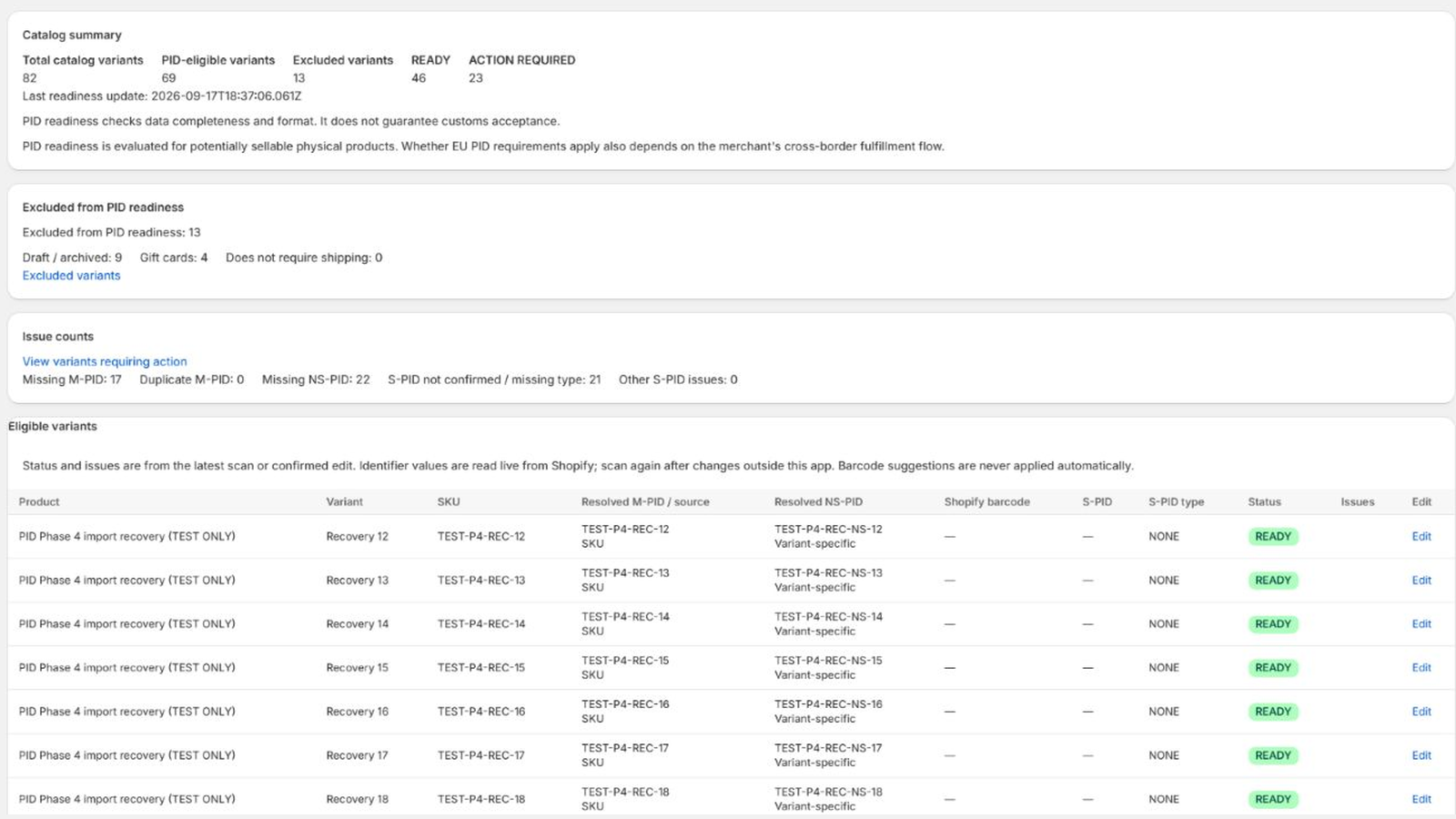
Find missing identifiers, understand which variants need attention and review your fixes before saving. Start with a free catalog scan, then work through the gaps one variant at a time.
From missing data to reviewed changes
For larger catalogs · Pro
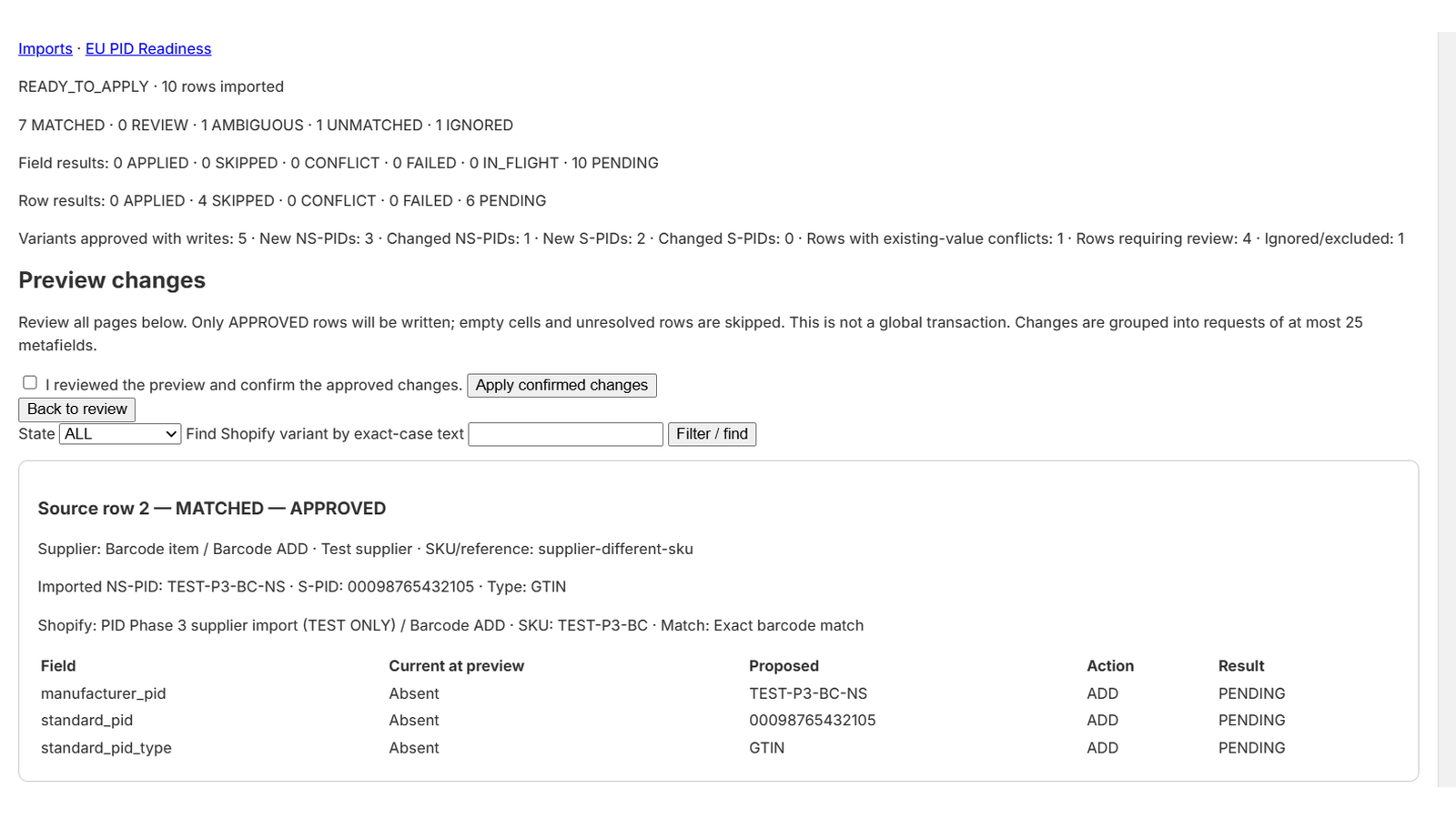
Map columns, match exact identifiers or SKUs, resolve uncertain rows, then compare current and proposed values. Only approved changes are written after confirmation.
Start with the problem you have today
FREE
PRO
Choose your plan through Shopify. FlavorCloud preparation does not connect a shipping account or file declarations.
Before you install
The app helps merchants shipping physical goods from outside the EU to EU customers review identifier data. Whether specific requirements apply depends on your import and fulfillment flow. Confirm this with your logistics provider or customs adviser. Setup asks for context; your answer does not certify compliance or limit scanning.
Ask the manufacturer or supplier for the manufacturer's product reference and confirm which variant it identifies. EU PID Ready helps you store and review that data; it does not invent genuine manufacturer identifiers.
A SKU identifies an item in your catalog. A manufacturer part number identifies it in the manufacturer's system; a supplier may also have a separate stock reference. A standardized identifier such as a GTIN has its own type. These values can differ, so review their source rather than copying one into every field.
Scanning identifies gaps without changing PID values. You save manual edits yourself. PRO imports and FlavorCloud preparation require review and confirmation before writes; monitoring refreshes readiness after product changes.
No. READY means the variant passes the app's PID completeness and consistency checks. It does not certify that identifiers are genuine or guarantee legal compliance or customs acceptance. The app does not submit customs declarations.
Scan, rescan, view readiness and edit one variant at a time with FREE. Choose PRO for supplier CSV review and bulk updates, import recovery, product-change monitoring and FlavorCloud-compatible metafield preparation.
Start with visibility, not guesswork
Run a free scan. Review the gaps. Decide what to save.
Scan my Shopify catalog — freeAlready installed? Open your Shopify apps. Need help? Contact support.